
Career documentation app
Mind your business. Own your success.
Jobminder365 is a career documentation app that makes it easier to keep a record of the workplace experience. Whether for job advancement or protection against disputes, it captures and stores information safely and securely, so nothing slips through the cracks.


Available now on iPhone and Android
Why people use it
Document. Document. Document.
Every employee is in charge of their own career. Keep your own record of the good days and the bad ones, on your own device and away from work networks.
- Safeguards employees against misunderstandings and disputes
- Tracks accomplishments and contributions
- Prepares you for performance evaluations and salary negotiations
- Improves communication and collaboration with colleagues
- Helps you work through a Performance Improvement Plan or a corrective action
- Provides receipts and proof to support any workplace issue
- Stores your documentation on your own devices, away from work networks
Features
Capture and store emails, record meetings and more
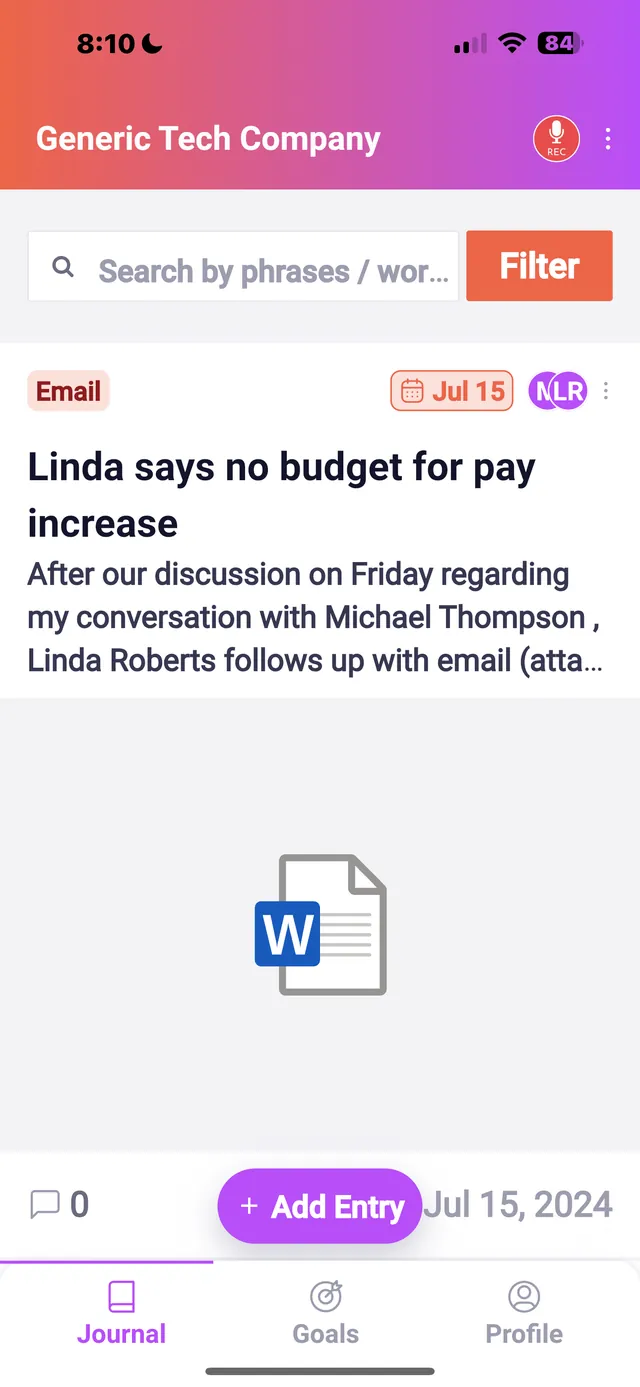
By using Jobminder365, employees can securely capture and store emails, record meetings and conversations and track feedback, so you have a complete record of your work-related interactions.
Journal entries, typed or spoken
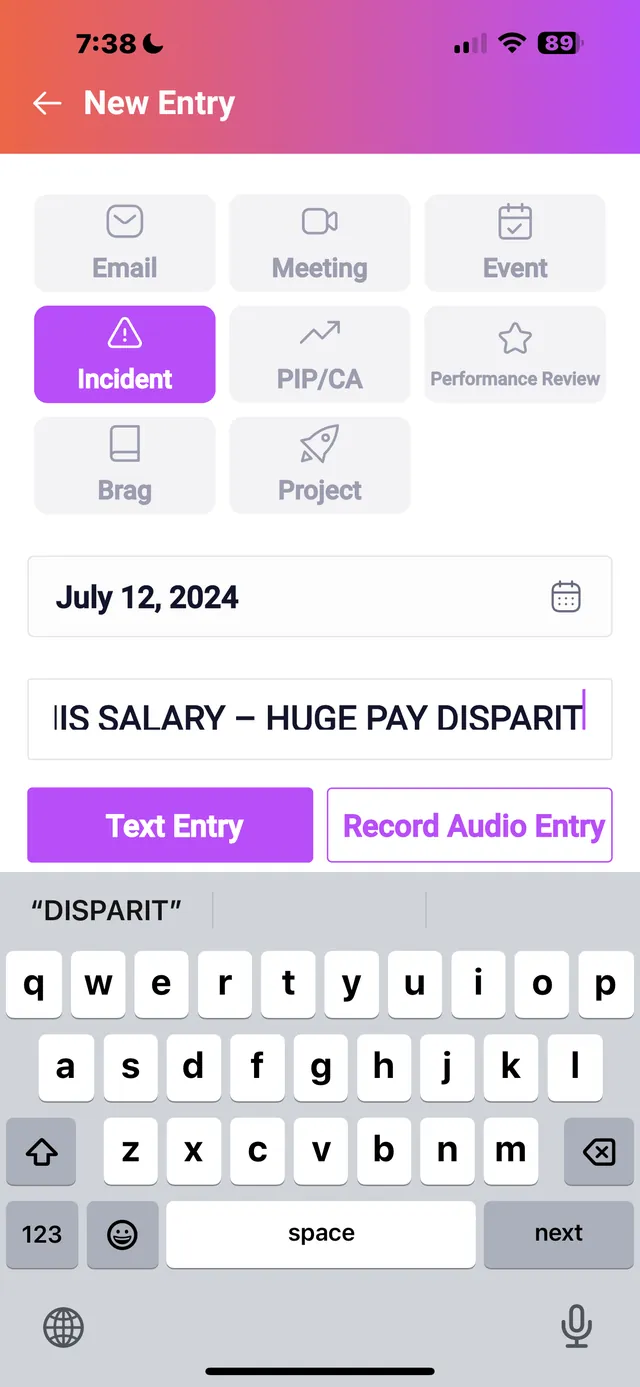
Capture thoughts and moments as they happen, by typing or by voice recording. A recording keeps the emotion and the nuance. A written account of workplace interactions and accomplishments is just as useful. Both are proof, and both help you think clearly and grow.
Capture and store emails
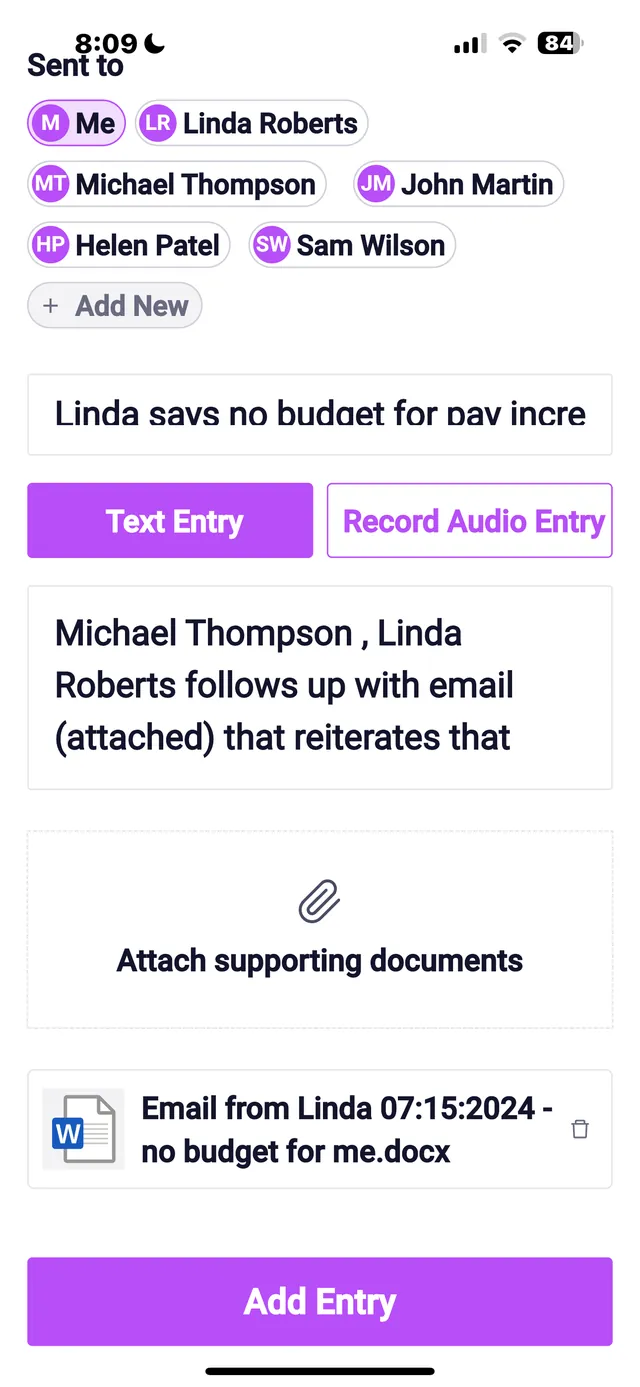
Scan, photograph or upload emails and keep them in the app. With encryption and secure storage they are organized, archived, easy to find and protected.
Audio and video recordings
Record or upload audio and video of incidents, meetings and conversations so you can revisit the key points later. Good recordings help for meetings, interviews and everyday conversations alike.
Scan documents
Turn paper into digital files in a few taps: receipts, contracts, notes and other important documents, stored securely and easy to retrieve when you need them.
Photos of incidents and documents
Take a photo of an incident or a document, or upload photos you already have, and keep them with the entry as a visual record.
Download or email it to yourself
Move files from Jobminder365 straight to your own phone, tablet or computer, away from any work network.
Take control of your career
When people reach for it
Chart your own career path, set goals, showcase accomplishments for job advancement and protect your reputation.




Eight kinds of entry
Log it the way it happened
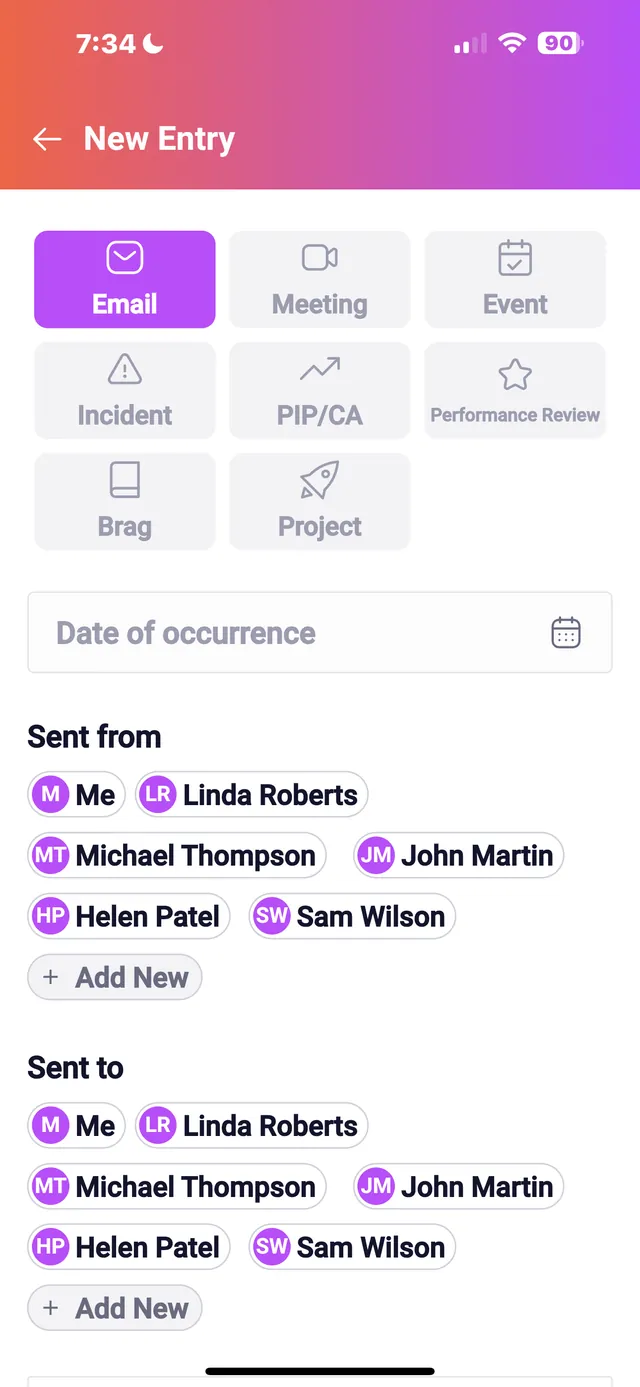
Journal entries go under the type that fits: an email, a meeting, an event, an incident, a performance improvement plan or corrective action, a performance review, a brag or a project. Add a title and a date, name the people involved, and type it or say it.
Don’t leave your career to chance.
Try Jobminder365 today. It is free to download for iPhone and Android.